> ## Documentation Index
> Fetch the complete documentation index at: https://docs.shieldcyber.io/llms.txt
> Use this file to discover all available pages before exploring further.
# Products
> The Products page provides a view of the most vulnerable products. It supports breaking down by different dimensions and drilling down into an individual product.
 ### Most Vulnerable Products
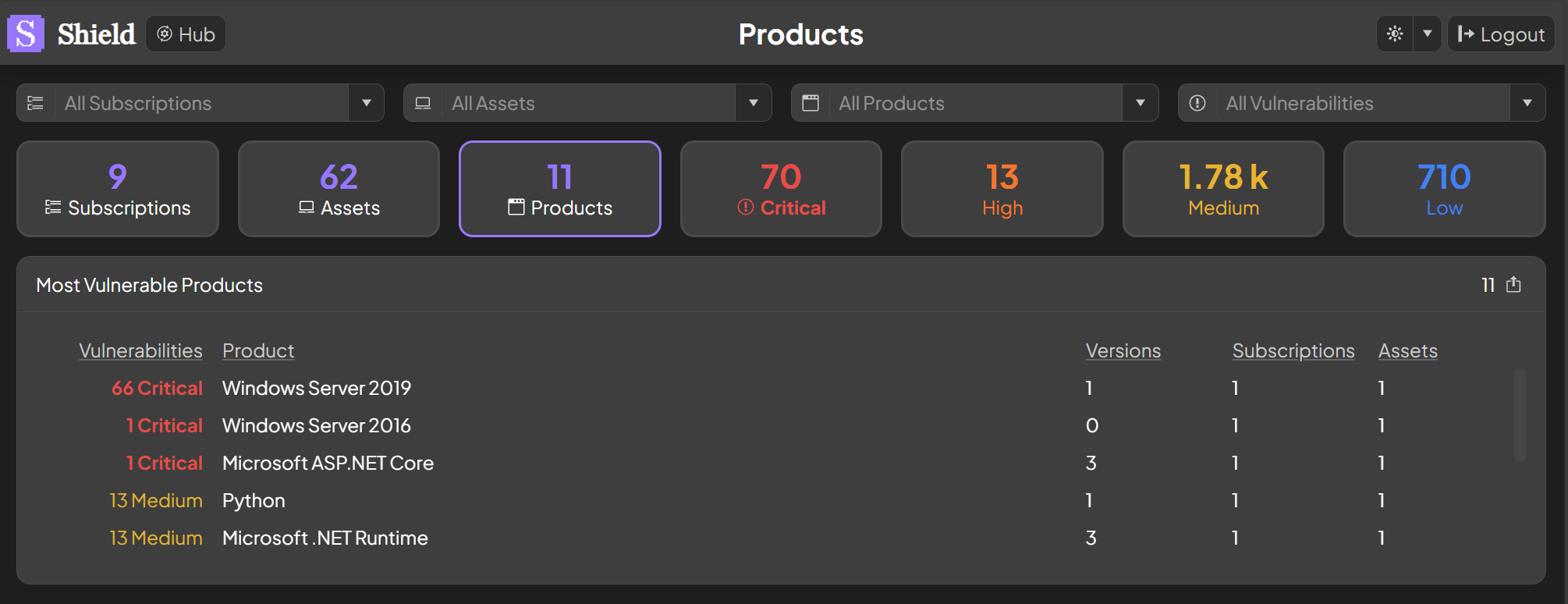
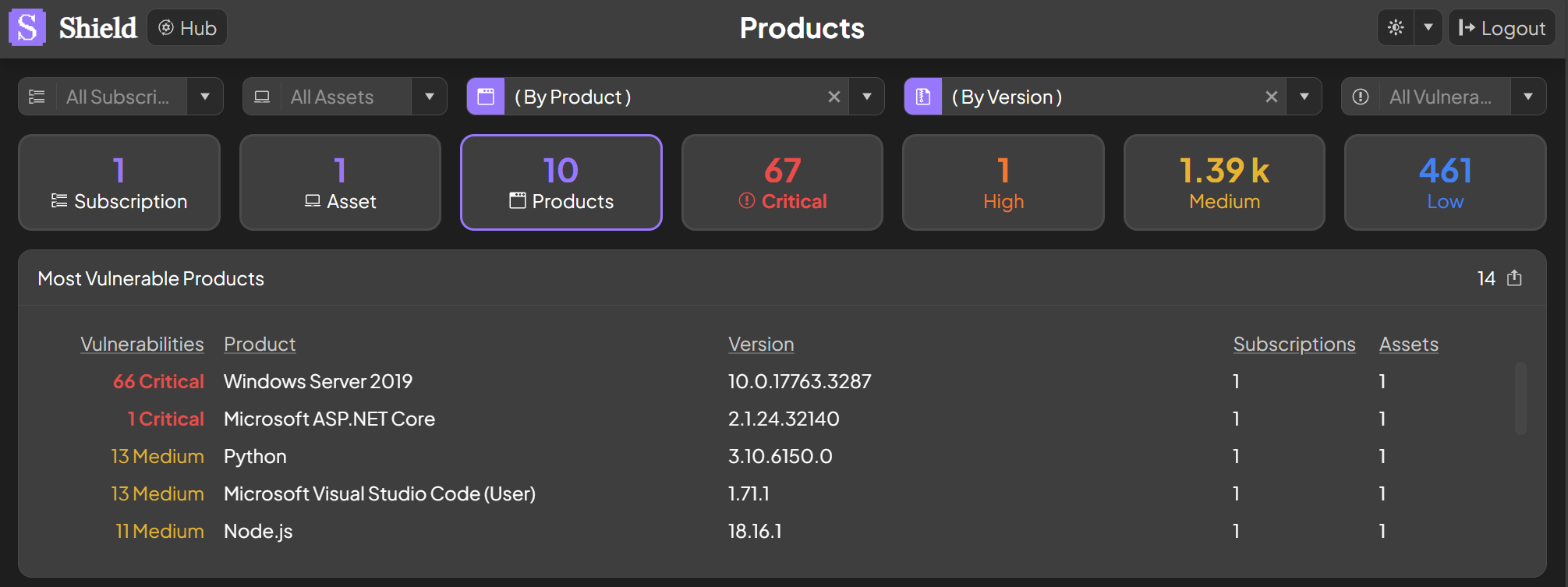
The most vulnerable products are shown based on the number and severity of the vulnerabilities detected. The vulnerabilities, versions, subscriptions and assets are rolled up by default. To break down by one or more of these dimensions, click on its respective number. As an example, to break down by versions click on a version count. To drill down into an individual product, click on its name.
### Most Vulnerable Products
The most vulnerable products are shown based on the number and severity of the vulnerabilities detected. The vulnerabilities, versions, subscriptions and assets are rolled up by default. To break down by one or more of these dimensions, click on its respective number. As an example, to break down by versions click on a version count. To drill down into an individual product, click on its name.
 ### Invididual Product
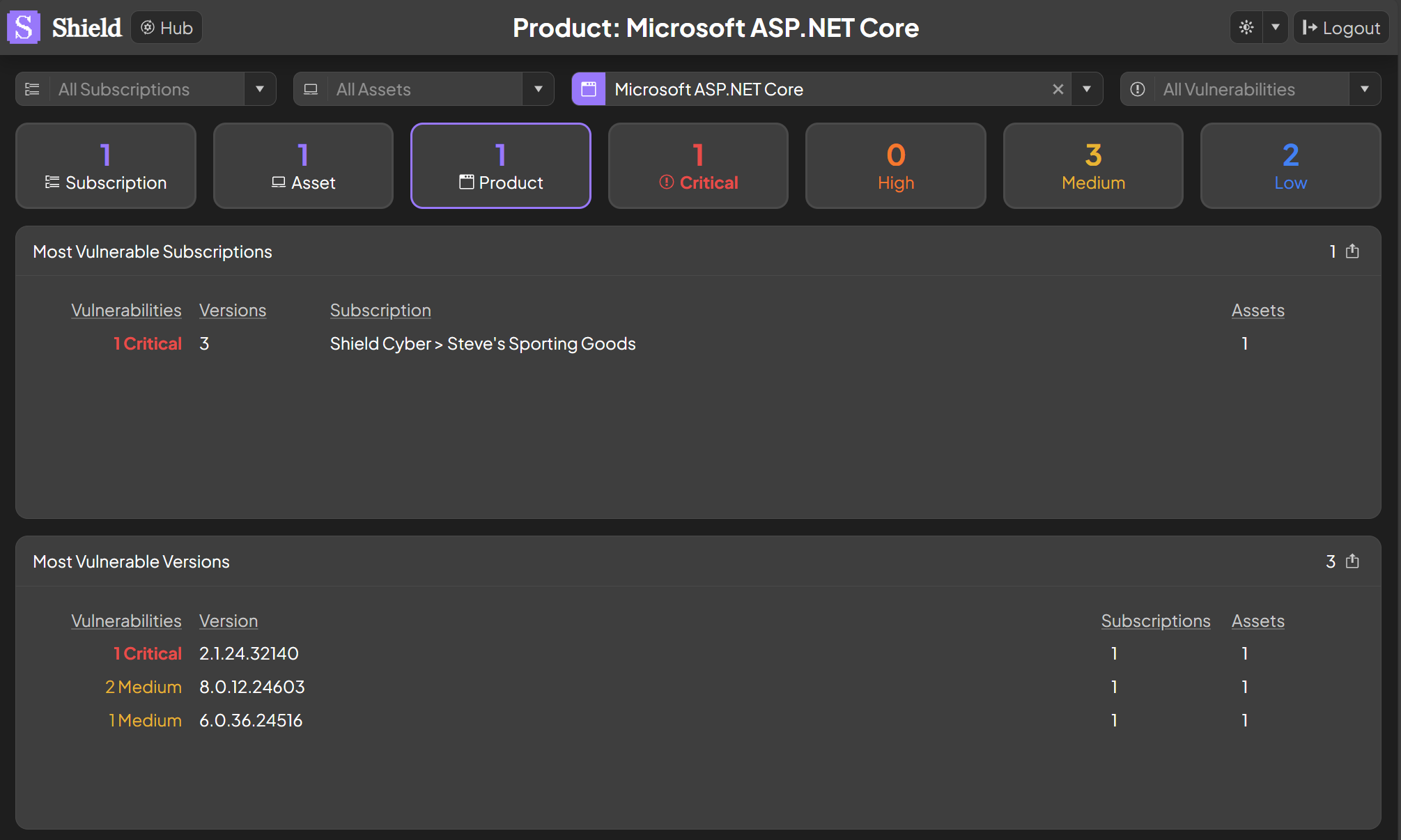
When an individual product is selected, the most vulnerable subscriptions and most vulnerable versions within the product will be shown with additional details. Similar to above, dimensions are rolled up by default. To break down by one or more of the dimensions, click on its respective number. To filter on a specific value, click on its name.
### Invididual Product
When an individual product is selected, the most vulnerable subscriptions and most vulnerable versions within the product will be shown with additional details. Similar to above, dimensions are rolled up by default. To break down by one or more of the dimensions, click on its respective number. To filter on a specific value, click on its name.